Why Simulated Trading Matters More Than Ever
In today’s fast-moving financial world, practice trading is no longer optional—it’s essential.
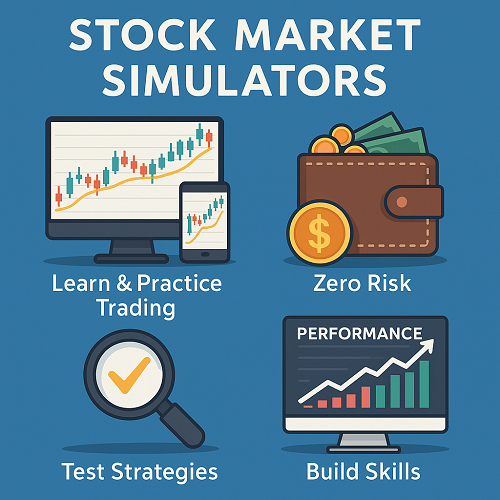
Whether you’re investing in stocks, forex, crypto, or options, modern trading platforms now offer powerful stock market simulators (also known as paper trading accounts) that replicate real-market conditions without risking a single dollar.
These simulators allow you to:
- Test trading strategies with real-time market data
- Learn how to use complex platforms like TradingView, Thinkorswim, or Webull
- Understand risk management and position sizing
- Track and refine your results before going live
For beginners, simulators are like flight simulators for pilots—a safe space to make mistakes and learn from them.
For experienced traders, they’re vital tools for strategy optimization, back-testing, and emotional control before executing high-risk trades in live markets.
What Is a Stock Market Simulator?
A stock market simulator is a software tool or app that mimics the behavior of financial markets, giving users a virtual account funded with fake (but realistic) money. It allows you to place buy and sell orders as if you were trading real assets.
How Simulators Work
- Real-time or delayed data: Most modern platforms use live data feeds from exchanges like NASDAQ or NYSE.
- Order execution: You can simulate market, limit, and stop orders to practice entries and exits.
- Portfolio tracking: Simulators track your performance over time just like a brokerage account.
- No financial risk: All trades use “paper money,” meaning losses (or profits) are purely educational.
Common Names
- Paper Trading Platform
- Demo Trading Account
- Virtual Trading App
- Practice Investing Account
Regardless of the term, they all share one mission: to let you trade without fear.
Why Practice Trading Is the Smartest Way to Learn
a. Risk-Free Education
Beginners can learn the mechanics of buying and selling stocks without blowing their savings. You’ll master terms like bid-ask spread, market order, leverage, and short selling safely.
b. Strategy Testing
Professional traders use simulators to back-test strategies before deploying capital. This means testing ideas on historical or live data to measure profitability and drawdowns.
c. Emotional Conditioning
Trading psychology is often overlooked. Using a simulator trains you to control fear and greed, maintain discipline, and stick to your plan—even when fake money is on the line.
d. Transition to Real Markets
Once you develop consistency in simulated trading, you can transition to a live account with confidence. Many brokers allow a seamless switch between demo and live environments.
The Limitations of Simulators
Even the best paper trading tools aren’t perfect. Understanding their limits ensures realistic expectations.
| Limitation | Description | Real-Life Impact |
|---|---|---|
| No real emotions | You know losses aren’t real | You might overtrade or take unrealistic risks |
| No slippage or spreads | Prices execute perfectly | Real trades may fill worse |
| Lack of liquidity pressure | All trades “fill” instantly | Doesn’t reflect order book depth |
| Unrealistic capital | Some demos give $1M+ fake money | Can promote bad sizing habits |
Pro tip: Treat every simulated trade as real. Set realistic balances, use true position sizing, and log your trades in a trading journal.
How to Choose the Right Trading Simulator
a. Supported Assets
Pick a platform that matches your goals:
- Stocks & ETFs: Ideal for beginners
- Options: Practice advanced strategies like covered calls
- Forex: Learn about leverage and currency pairs
- Crypto: Handle high volatility trading
- Futures: For professional traders testing contracts or commodities
b. Data Quality
Look for real-time market data and realistic execution. Delayed feeds are fine for casual learning, but serious traders should prefer live quotes.
c. Platform Interface
An intuitive, user-friendly interface makes learning smoother. Look for charting tools, indicators, and an order ticket similar to real brokers.
d. Transition to Live
Some simulators are linked to live brokers (e.g., Interactive Brokers, eToro, Webull). When you’re ready, you can move to live trading easily.
e. Cost
Most simulators are free, though premium ones may include AI analysis or historical back-testing. Always start with free versions to gauge value.
Best Stock Market Simulators (2025 Edition)
Below are the top-performing paper trading platforms for stock and ETF practice in 2025, chosen for realism, ease of use, and educational value.
| Platform | Best For | Key Features | Price |
|---|---|---|---|
| Interactive Brokers (IBKR) Paper Account | Professional traders | Real-time data, advanced order types, options/futures/forex support | Free with IBKR account |
| Webull Paper Trading | Beginners & mobile traders | Easy-to-use mobile app, $1M virtual cash, community competitions | Free |
| Thinkorswim by TD Ameritrade | Advanced charting lovers | Institutional-level tools, options analysis, studies library | Free |
| TradingView Paper Trading | Technical analysis & strategy testers | Integrates with real brokers, thousands of indicators, backtesting scripts | Free & paid plans |
| Investopedia Simulator | Educational use | Great for students, built-in tutorials, competitive leaderboards | Free |
| MarketWatch Virtual Stock Exchange | Group learning & classrooms | Customizable games, delayed data, excellent for teams | Free |
| NinjaTrader Demo | Futures & forex | Deep analytical tools, strategy backtesting, real-time data | Free demo |
| eToro Virtual Portfolio | Stocks + crypto hybrid | Seamless switch to live, social trading copy features | Free |
Pro Tip: Start with Webull or TradingView if you’re new. Move to Interactive Brokers or Thinkorswim when you’re ready to simulate professional-level trading.
Bonus: Crypto & Forex Simulators
a. Crypto Paper Trading Platforms
| Platform | Key Assets | Best For | Highlight Feature |
|---|---|---|---|
| Binance Demo (via Futures Testnet) | BTC, ETH, futures | Futures traders | Realistic leverage testing |
| TradingView Crypto Mode | Multi-exchange | Chart-based strategy testing | Connects to Binance, Coinbase, etc. |
| Phemex Demo Account | Spot & futures | Beginners | Instant resettable balance |
| CoinMarketGame | Pure simulation | Learning crypto basics | No registration required |
These simulators are great for testing crypto volatility and understanding how leverage magnifies risk and reward.
b. Forex Demo Accounts
| Broker | Demo Balance | Key Features |
|---|---|---|
| MetaTrader 4/5 Demo (MT4/MT5) | Customizable | Works with 100+ forex brokers, thousands of indicators |
| OANDA Demo Account | $100k default | Regulated broker, real spreads |
| FOREX.com Practice Account | $50k | Excellent educational support |
| cTrader Demo | Adjustable | Slick interface, real-time liquidity view |
Pro Tip: Use forex simulators to test risk-to-reward ratios, stop-loss placement, and lot sizing before trading real currency pairs.
How to Get the Most Out of Paper Trading
a. Treat It Like Real Money
Start with a realistic account balance. If you plan to trade with $5,000, don’t simulate with $100,000—it distorts performance.
b. Set Clear Rules
Create a written trading plan outlining entry criteria, stop losses, and take-profit levels. Track every trade outcome.
c. Keep a Trading Journal
Record every trade, reason for entry/exit, emotional state, and lessons learned. Review weekly for patterns.
d. Simulate Risk Management
Risk no more than 1–2% of your capital per trade. Practice proper position sizing and diversification.
e. Analyze Results
Use your simulator’s built-in reports to measure:
- Win/loss ratio
- Average profit per trade
- Maximum drawdown
- Sharpe ratio
f. Avoid Unrealistic Behavior
Don’t reset your balance after losses. Learn to recover from mistakes through discipline and patience.
Bridging from Simulation to Live Trading
Simulators prepare you for the real thing, but switching to live trading requires psychological readiness and risk tolerance.
When You’re Ready to Go Live
- You’ve achieved consistent simulated profits for 3+ months.
- You’re disciplined about stops and targets.
- You understand your strategy’s edge (win rate, risk/reward).
Steps to Transition
- Start small: Trade with minimal capital.
- Use the same platform: Familiarity reduces mistakes.
- Keep your paper account active: Continue testing strategies.
- Manage emotions: Expect different feelings when real money is at stake.
- Focus on longevity: Survival > quick profits.
Psychological Shift
Even seasoned paper traders often falter once emotions enter the mix. Stay objective, and remember: your first goal is consistency, not big profits.
Advanced Use: Algorithmic & Back-Testing Simulation
Modern simulators also support automated trading tests, ideal for programmers or quantitative traders.
Key Tools
- TradingView Pine Script: Automate and test strategies on historical data.
- MetaTrader Strategy Tester: Simulate Expert Advisors (EAs).
- QuantConnect or Amibroker: Professional-level back-testing for equities and futures.
Metrics to Track
- Total return
- Maximum drawdown
- Sharpe ratio
- Win rate
- Trade expectancy
Algorithmic simulation is a game-changer—it lets traders measure exact strategy performance over thousands of historical trades before risking a cent.
Common Mistakes New Traders Make in Simulators
- Overconfidence after success. Real trading involves spreads, slippage, and emotions—your results will differ.
- Ignoring transaction costs. Add simulated commissions and fees to make your results realistic.
- Overtrading. Simulators have no pain barrier; impose trade limits.
- Neglecting risk management. Always simulate stop losses and position sizing.
- Failing to journal trades. Tracking your progress is what turns practice into mastery.
Frequently Asked Questions (FAQs)
Is paper trading the same as real trading?
Almost—but not quite. Prices and execution are often identical, but without real money at risk, your emotions behave differently. Treat it as serious practice.
Can I make real profits from a simulator?
No. Paper trading uses fake money. Its purpose is education, not profit. However, what you learn can make you money later.
Do simulators use real market data?
Most top platforms (like IBKR, Webull, and TradingView) use real-time or delayed live data feeds from major exchanges.
What’s the best free stock simulator?
For beginners: Webull or TradingView.
For advanced traders: Interactive Brokers or Thinkorswim.
Can I practice crypto trading for free?
Yes. Platforms like Binance Testnet, TradingView, and Phemex Demo allow full-featured crypto paper trading.
When should I move from paper trading to live trading?
Once you’ve demonstrated consistent success for at least 3 months and have a clear, data-backed trading plan.
The Future of Virtual Trading
As AI and machine learning evolve, simulators are becoming smarter. Expect platforms to include:
- AI-generated trade feedback and mentorship
- Realistic emotion simulation using gamification
- Cross-asset practice environments (stocks + crypto + forex in one app)
- Seamless integration with copy-trading and social features
By 2026, paper trading may feel almost identical to real trading—just without the financial risk.
Final Thoughts: Turning Simulation into Real-World Success
Paper trading isn’t about fake money—it’s about real learning.
Every click, every simulated loss, every successful strategy is a rehearsal for your financial independence.
If you approach your simulator with discipline, patience, and curiosity, you’ll gain an edge that 90% of traders never achieve.
The best part? You can start right now—with zero risk.
Key Takeaways
- Paper trading = risk-free learning.
- Start small, stay consistent, treat it seriously.
- Use data, not emotion.
- When you’re ready, move to live markets with confidence.
 XAUT-USD
 AMD
AMD JNJ
JNJ
 MARA
MARA SHOP
SHOP UNH
UNH BULL
BULL EURUSD=X
 CL=F
CL=F